
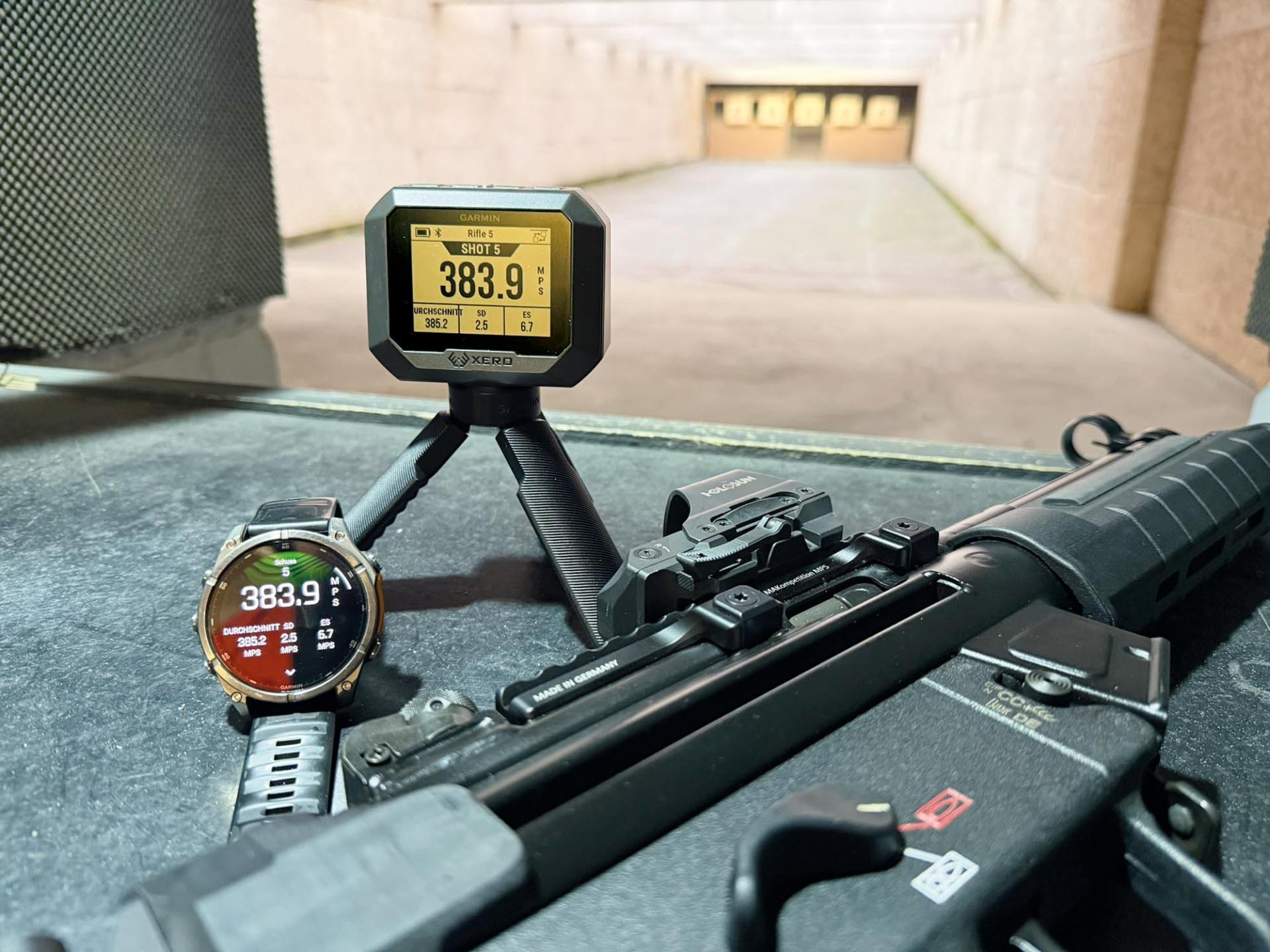
The first noticeable difference to its predecessor, the C1 Pro, is the color of the Xero C2. It emerges from its packaging in a stylish, modern gray with a subtle, barely perceptible hint of green. A matching silicone cover is also included to protect the Garmin chronograph itself and, above all, the display against dirt and other damage. The display provides the usual clear and high-contrast presentation of all information. The separation of individual values by lines is a particularly welcome improvement. The new display design is a clear advantage of the new generation in terms of data perception.
Settings such as the measurement system, light or dark display are quickly made and you're ready to go. Anyone familiar with the Garmin Xero C1 Pro knows that, like its new brother the Xero C2, it's a valuable tool for collecting ballistic data as a standalone device without any additional equipment. However, It becomes really complete and convenient when used in conjunction with the free Garmin "Shot View" app. This app allows you to transfer all measurements and their direct derivations via Bluetooth, display them very clearly, and export them to other formats for processing on a PC. More on that later.
A new feature of the Xero C2 is the ability to connect compatible Garmin smartwatches. Other watches are not compatible, at least not at present. Strangely enough, in order for the watch and Xero to communicate with each other, all known connections on the chronograph had to be deleted first. However, the connection could then be established without any issues. In the test, all values from a test series were displayed, but despite considerable ingenuity, importing the measurements to the watch proved unsuccessful. Starting a live session, i.e. defining the setup on the watch and then sending it to the Garmin, did not quite work either. All that remained was the pure displaying. This may be due to the software version or the watch model. Pairing with a smartphone opens up another new usage possibility. Data can not only be transferred to the proprietary "Shot View" app, but also processed in the "AB Quantum" app under the name Applied Ballistics. This app is a ballistics calculator and focuses on long-range shooting. The velocity information is transferred directly to the app and processed for the corresponding gun and ammunition profiles. The information from the chronograph is supplemented by wind, distance to the target, location and basic settings for the gun and ammunition. The aim is to provide the shooter with even more precise information and therefore more accurate hits, even at greater distances. This integration is exclusive to the Xero C2.
In practice: Garmin Xero C2 chronograph
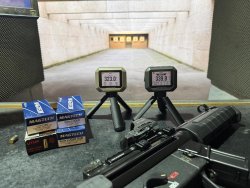
The newcomer takes its place on the shooting range right next to its predecessor model and now has to show what it can do better. The two are standing next to each other when the shot breaks and one thing becomes immediately clear: the Garmin Xero C2 has a significantly faster processor! While the Xero C1 Pro is still thinking, the newcomer is already waiting for the next task, while the measured values that have just been recorded are already available on the display. Another new feature: in "Rapid Fire" mode, the C2 records up to ten shots per second – unthinkable with its predecessor. Interestingly, the values for both devices consistently differ by only 0.5 m/s.
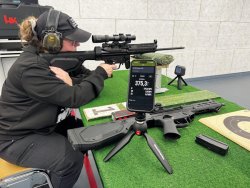
In practice, there are two basic ways to use the device: firstly, the settings are made directly on the Garmin Xero and the measured values are read there. With a little practice, this can be done quickly using the four buttons. After the measurements have been taken, they can then be transferred to the smartphone for further use. The second option is to use the smartphone directly and make all the settings there. This makes it much easier and quicker to prepare a "live session" and further information, such as the name of a session, can also be entered directly. This maintains an overview even in more extensive test scenarios. Up to this point, this has been possible in this form with both Xero generations. The new model also offers the option of resuming a measurement series after a break. This is very useful, for example, for test series of several firearms, allowing weapons to cool down and be used alternately – a practical feature for shooters who want to complete extensive test series in one session. The Garmin Xero C2 records up to 200 sessions before requiring synchronization with a smartphone, without any data loss. The Xero C1 Pro, on the other hand, runs out of steam after just 50 sessions of up to 100 shots each.
The software for the Garmin Xero C2: Garmin Shot View app
A word about the Garmin Shot View app. From the testers' perspective, it has matured considerably over time and is now a comprehensive toolbox with many functions — or rather, information. A pleasure to work with. Besides the muzzle velocity (v0), other values are immediately available. The key here is entering the bullet weight in grains. This allows you to derive and display the muzzle energy (E0), as well as the metric referred to here as the "power factor." All values can be accessed as individual values or as averages, along with the dispersion, i.e., the maximum deviations from the average values. All in all, a respectable set of values, accessible in an incredibly simple way.
The app stores a virtually endless number of sessions on the smartphone, containing the aforementioned data and presenting them clearly and concisely in tabular form. It couldn't be simpler or clearer. Or could it? Well, for those who prefer Microsoft Excel, the data collection from each session can now be exported not only as a CSV file but also in Excel format, allowing for direct data processing without further conversion. With a little knowledge of Excel, a variety of analyses can be created, depending on the task at hand. For example, a log sheet for competitions to determine factors can be generated with just a few steps.
With its standard thread, the Garmin chronograph can be mounted not only on the supplied mini tripod, but also on almost any other tripod with a corresponding screw. If the chronograph is to be mounted directly on a rifle, Garmin offers a corresponding mount, albeit at a price of just under 200 euros. This mount is attached to a Picatinny rail on the gun. Theoretically, this would also work with the predecessor model, but due to the reinforced housing of the Garmin Xero C2, this is only intended for the current model. Unfortunately, the built-in lithium-ion battery is still not replaceable. A small downer, even though it lasts up to six hours when fully charged, which according to Garmin corresponds to around 2,000 shots.
Conclusion: Is the Garmin Xero C2 worth it?
The Garmin Xero C1 Pro, which is still available, can currently be purchased from the manufacturer for 500 euros. If you value the new functions of the Garmin Xero C2, you will have to invest 200 euros more. For most users, the Garmin C1 Pro should be sufficient if speed and data calculation, or the extended functions, do not play a major role. Users who regularly carry out more extensive tests, possibly with several firearms, are clearly better off with the new model.
Overall, it can be said that Garmin has set standards with its chronographs. The measurements are extremely easy to determine, even for non-experts. Anyone looking for a compact, powerful and easy-to-use ballistics chronograph will find an excellent solution in both the Garmin Xero C1 Pro and the new Xero C2.
Text: Jessica and Frank Stock
Editor: Hamza Malalla
Further information on the Garmin Xero C2 can be found directly on the manufacturer's website.